Free 14-day trial

Your inbox,
finally under
control.

Swipe through your Outlook emails to flag, snooze, archive, or mark done. Reach inbox zero in minutes, not hours.

No credit card required  ·  Works with Outlook Web
Inbox  ·  12 unread
Sarah Johnson
Q3 Budget Review — Action Required
Hi, I've attached the Q3 budget report for your review. Could you confirm the allocation before Friday?
Flag
Done
Snooze

Three steps to inbox zero.

01

Open Outlook Web

Navigate to Outlook Web. The MailDeck button appears automatically in the corner of your inbox — no configuration needed.

02

Swipe your emails

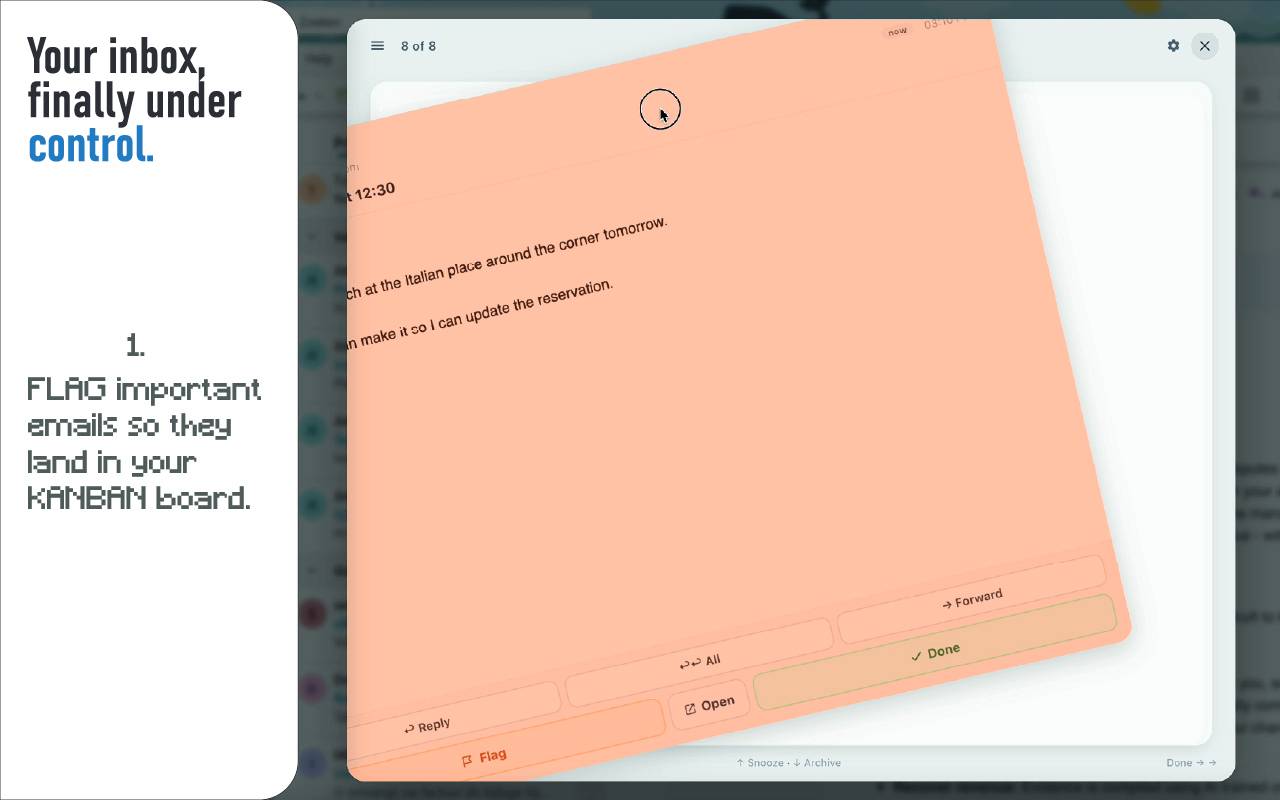
Left to flag, right to mark done, up to snooze, down to archive. Or use arrow keys for a full keyboard-driven workflow.

03

Track what matters

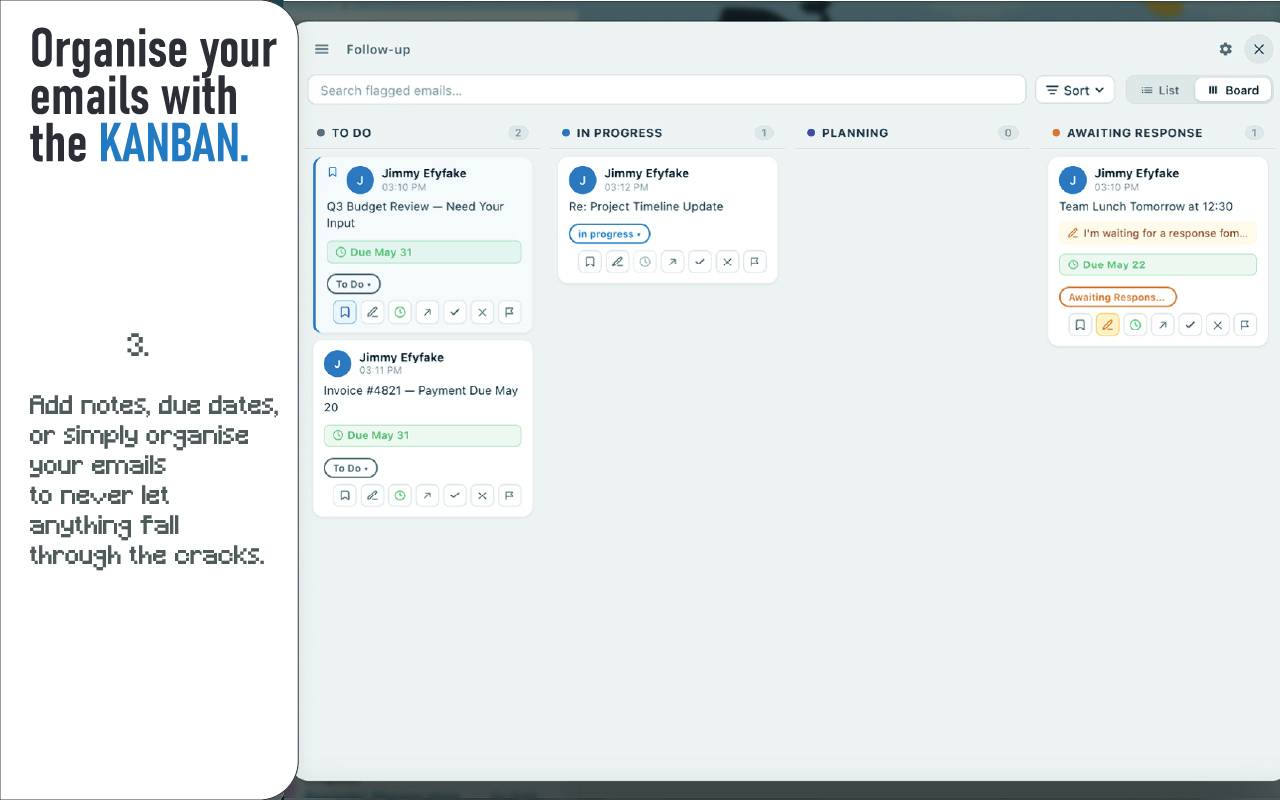
Flagged emails land on a Kanban board with To Do, In Progress, and Awaiting Reply columns. Nothing falls through the cracks.

Everything you need
to take control.

Swipe Gestures

Four-direction swipe: flag, done, snooze, or archive with a flick. Works with mouse, trackpad, and touch.

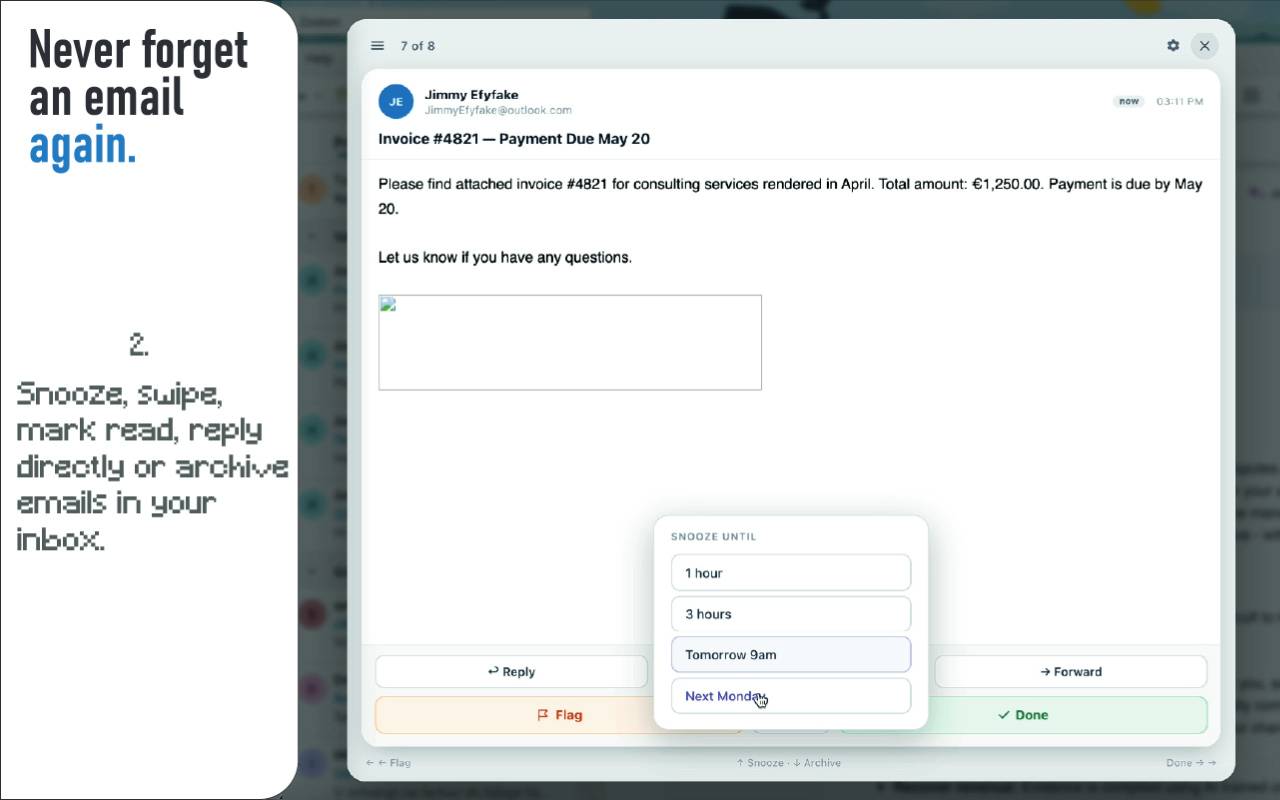
Smart Snooze

Snooze emails to reappear exactly when you need them — in 1 hour, tomorrow morning, next Monday, or a custom time.

Kanban Board

Track flagged emails on a drag-and-drop board: To Do, In Progress, and Awaiting Reply. All in your browser.

Quick Reply

Reply inline without leaving the swiper. Save templates with name placeholders for fast, personal responses.

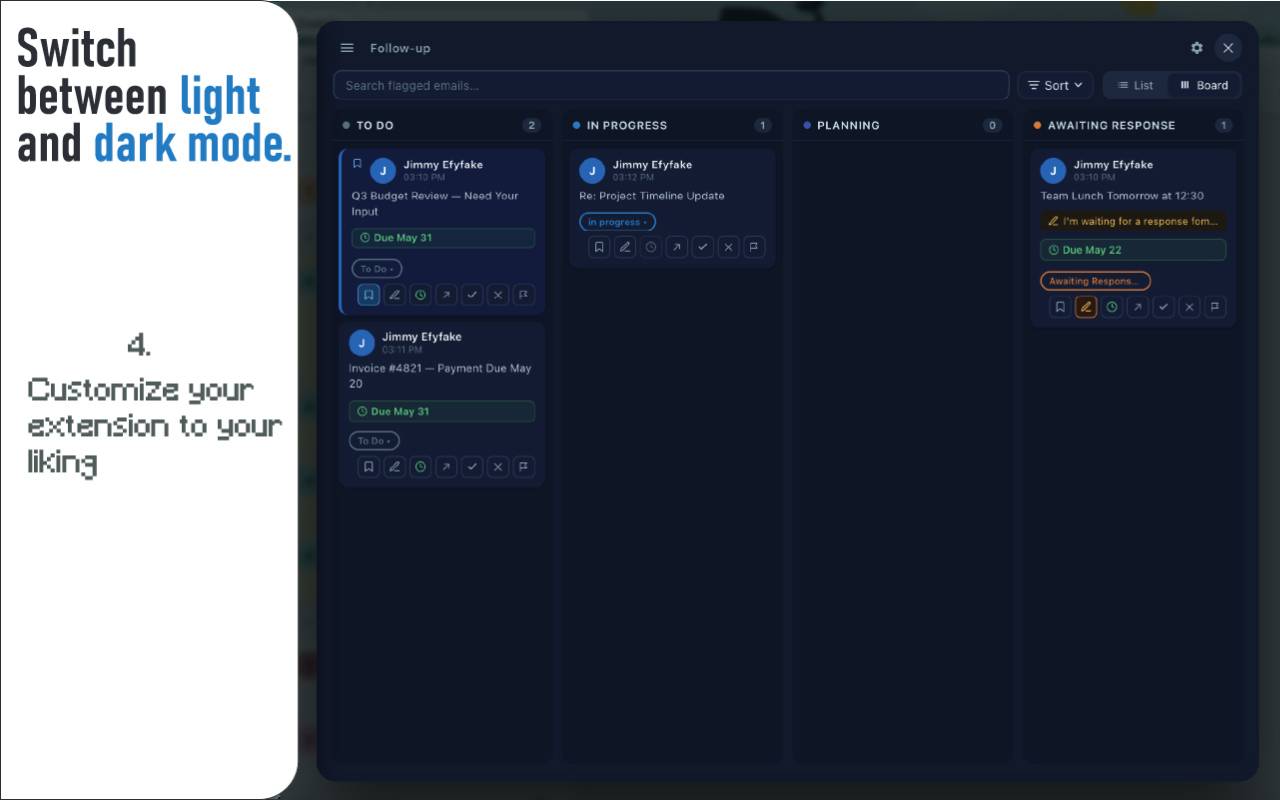
Dark Mode

Easy on the eyes at any hour. Toggle dark mode for comfortable late-night triage sessions — just like this page.

Keyboard Shortcuts

Arrow keys to swipe, R to reply, Z to undo. A complete keyboard-driven workflow for power users.

Smart Sort

People-first ordering automatically deprioritizes no-reply senders and bulk newsletters so real email comes first.

Email Notes

Add private notes to any email. Keep context for follow-ups without leaving your inbox or switching apps.

Privacy First

No data leaves your browser. No analytics, no tracking, no third-party servers. Your emails stay yours.

Simple, transparent pricing.

Start free. Upgrade when you're ready. Cancel anytime.

Monthly
$5/mo
Billed monthly
  • All features included
  • Unlimited swipes
  • Kanban follow-ups
  • Quick reply templates
  • Cancel anytime
Start 14-Day Free Trial

Common questions.

Yes. Outlook MailDeck runs entirely in your browser. Your emails are fetched directly from Microsoft's servers and rendered locally. No email data is ever sent to our servers or any third party. No analytics, no tracking, no telemetry.
Yes. Outlook MailDeck works with both work and school (Microsoft 365) and personal Outlook.com accounts. Just open Outlook Web in your browser and the MailDeck button will appear automatically.
Absolutely. You can cancel your subscription at any time. You'll retain access until the end of your current billing period, and no further charges will be applied.
After your 14-day free trial, the MailDeck interface will no longer appear. Your Outlook Web continues to work normally — you just won't have the swipe triage features. Subscribe at any point to restore full access instantly.
No. Outlook MailDeck reads authentication tokens from your existing Outlook Web session. We never see, ask for, or store your Microsoft password or credentials.
Outlook MailDeck is a Chrome extension and works on Google Chrome and all Chromium-based browsers including Microsoft Edge, Brave, and Arc.